How Do I Get My Business on Google Maps?
Your Google Business Profile is how customers find you in local search. 46% of all Google searches have local intent - if you're not showing up, you're invisible to nearly half your potential customers.
Get Help With GoogleWhat Is Google Business Profile?
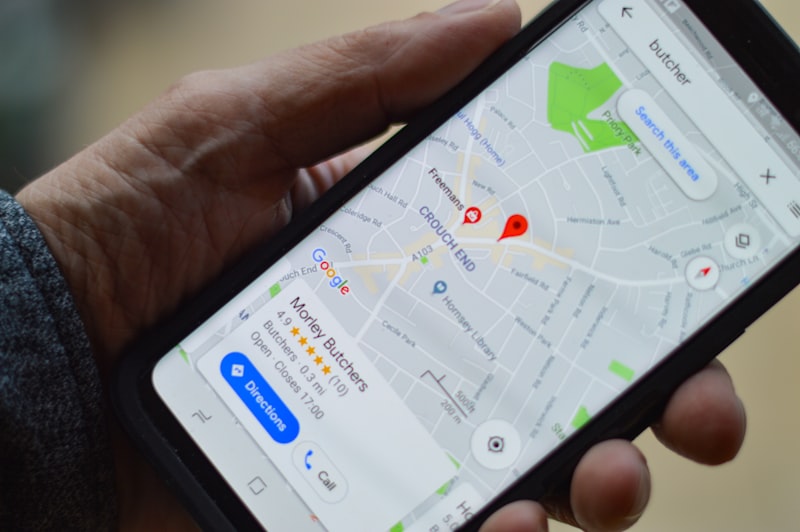
Google Business Profile (formerly Google My Business) is your free business listing that appears in Google Search and Google Maps. It's the box that shows up when someone searches for your business or services "near me."
When optimized correctly, your profile shows your hours, phone number, reviews, photos, and directions - everything a customer needs to choose you over competitors.
- Free to create and manage - no monthly fees
- Shows in Google Maps and local search results
- Displays reviews, photos, hours, and contact info
- Lets customers call, get directions, or visit your website
- The #1 factor in local search ranking according to Google
How Do I Add My Business to Google Maps?
Getting on Google Maps is straightforward. Go to google.com/business, sign in with a Google account, and search for your business. If it already exists (from customer reviews or photos), claim it. If not, create a new listing.
The critical step is verification. Google needs to confirm you actually own the business. This usually happens via postcard, phone call, or video verification. Until you're verified, your listing won't appear publicly.
- Step 1: Go to google.com/business and sign in
- Step 2: Search for your business or create a new listing
- Step 3: Enter accurate business name, address, and phone (NAP)
- Step 4: Choose the correct business category
- Step 5: Verify ownership (postcard, phone, or video)
- Step 6: Complete your profile with hours, photos, and description
How Do I Optimize My Google Business Profile?
A complete profile gets 5x more views than an incomplete one. Google rewards businesses that fill out every field, add quality photos, and keep information current.
The algorithm in 2026 uses AI to evaluate engagement and freshness. Profiles that post updates, respond to reviews, and add new photos regularly rank higher than stale listings.
- Complete every field - description, services, attributes
- Add 10+ high-quality photos of your business, team, and work
- Post weekly updates about offers, news, or helpful tips
- Respond to every review within 24-48 hours
- Keep hours updated, especially for holidays
- Add products/services with descriptions and prices

Why Is My Business Not Showing on Google Maps?
If you can't find your business on Google Maps, the most common reason is an unverified profile. Google won't display listings publicly until ownership is confirmed.
Other culprits include incorrect business information, a suspended listing (often from guideline violations like keyword stuffing in your business name), or simply being outranked by competitors with stronger profiles.
- Unverified profile - complete Google's verification process
- Suspended listing - usually from guideline violations
- Wrong category - using incorrect business category
- Incomplete information - missing address, phone, or hours
- Low prominence - competitors have more reviews and activity
- NAP inconsistency - different name/address/phone across the web
- New listing - takes 3-7 days for new profiles to appear
How Many Reviews Do I Need to Rank on Google?
Studies show a noticeable ranking boost when businesses hit 10 reviews. That's the minimum threshold to start competing in local search. But the real answer depends on your competition.
If competitors have 200 reviews and you have 15, you're at a disadvantage. Focus on consistently getting new reviews (review velocity) rather than hitting a magic number. Quality matters too - detailed reviews with keywords help more than generic "great service" comments.
- 10 reviews: Minimum to start ranking in local search
- 20-50 reviews: Solid baseline for most local businesses
- 100+ reviews: Competitive advantage in most markets
- 4.0+ star rating: Minimum to compete effectively
- Review velocity: Getting consistent new reviews matters
- Review responses: Responding boosts rankings and trust

How Long Does It Take to Rank on Google Maps?
New Google Business Profiles typically take 3-7 days to appear after verification. Ranking well in competitive local searches takes longer - usually 3-6 months of consistent optimization.
Local SEO is a marathon, not a sprint. Businesses that post regularly, collect reviews steadily, and maintain accurate information will gradually climb the rankings as Google recognizes their legitimacy and relevance.
- Verification: 1-14 days depending on method
- Appearing in Maps: 3-7 days after verification
- Ranking improvement: 3-6 months of consistent effort
- Competitive keywords: 6-12 months for significant gains

More Questions About Google Business Profile
Yes, creating and managing a Google Business Profile is 100% free. You can add photos, respond to reviews, post updates, and appear in Google Maps without paying anything. Google makes money from ads, not from basic business listings.
They're the same thing. Google rebranded "Google My Business" to "Google Business Profile" in 2021. The functionality is identical - it's just a name change. You might still see both terms used interchangeably online.
Yes, service-area businesses (plumbers, landscapers, mobile services) can create profiles without displaying a physical address. You'll set a service area instead, and customers will find you when searching within that area.
Ask satisfied customers directly - timing matters, so ask right after a positive interaction. Make it easy by sending a direct link to your review page. You can find this link in your Google Business Profile dashboard. Never offer incentives for reviews - it violates Google's guidelines.
Always respond to negative reviews professionally. Acknowledge the concern, apologize if appropriate, and offer to make it right offline. A thoughtful response shows potential customers you care about service. Never argue or get defensive - future customers are watching.
Common reasons include keyword stuffing in your business name (adding extra words like "Best" or "Cheap"), using a fake address, creating duplicate listings, or violating Google's content policies. Contact Google support to understand the specific reason and request reinstatement.
Need Help With Your Google Business Profile?
We'll set up, optimize, and manage your Google Business Profile so you show up when local customers search. More visibility, more calls, more customers.