Custom Business Card Design Services
Everything you need to know about business card design, standard sizes, paper stock options, premium finishes, what information to include, and honest pricing. Plus custom design starting at $50.
Get a Free Quote
Professional Business Card Design for Your Brand
In a world of LinkedIn profiles and digital contacts, a physical business card still outperforms every digital alternative for one simple reason: it creates a tangible memory. Studies show people retain information better when they receive it physically. A well-designed card gets kept in a wallet, pinned to a board, or passed to a friend.
At Marketing 760, every business card is designed from scratch using professional design tools and AI-powered creative software, no generic templates, no cookie-cutter layouts. Below is everything you need to know about business card design, whether you hire us or handle it yourself.

Standard Business Card Sizes and Dimensions
Business card sizes vary by country and style. Here are the standard dimensions used in the US and internationally, along with the bleed and safe zone specs your printer will need.
| Card Type | Dimensions | With Bleed | Safe Zone | Notes |
|---|---|---|---|---|
| US Standard (Most Common) | 3.5" x 2" | 3.75" x 2.25" | 3.25" x 1.75" | Fits all standard card holders and wallets |
| European Standard | 3.346" x 2.165" | 3.596" x 2.415" | 3.096" x 1.915" | Slightly taller, common in EU/UK |
| Square | 2.5" x 2.5" | 2.75" x 2.75" | 2.25" x 2.25" | Modern, distinctive, doesn't fit standard holders |
| Mini / Slim | 3.5" x 1.5" | 3.75" x 1.75" | 3.25" x 1.25" | Trendy, compact, works for minimal designs |
| Folded / Tent | 3.5" x 4" (folds to 3.5x2) | 3.75" x 4.25" | 3.25" x 3.75" | Double the space, great for price lists, menus |
Stick with the US standard 3.5" x 2" unless you have a specific reason not to. It fits every wallet, card holder, and Rolodex. Non-standard sizes look creative but often get left behind because they don't fit anywhere convenient. The goal is for your card to stay with the person, not impress them for 10 seconds.
Business Card Paper Stock Guide
Paper stock is the single biggest factor in how your card feels. A 14pt card stock with soft-touch lamination feels expensive even with a simple design. A thin 10pt card feels cheap regardless of how good the design is. Here's what each option actually means.
| Paper Stock | Thickness | Feel | Cost (per 500) | Best For |
|---|---|---|---|---|
| 10pt Coated | Thin, flexible | Basic, budget feel | $20-30 | Temporary cards, mass giveaways |
| 14pt Coated (Standard) | Sturdy, rigid | Professional, reliable | $25-45 | Most businesses, the default standard |
| 16pt Coated | Thick, premium | Substantial, high-quality | $35-60 | Professional services, luxury brands |
| 18pt + Soft Touch Lamination | Very thick, velvety | Luxurious, tactile | $50-80 | High-end brands, realtors, executives |
| 32pt Ultra Thick | Extremely rigid | Statement piece | $80-150 | Creative professionals, premium positioning |
| Cotton / Textured | Medium, textured surface | Artisanal, unique | $60-100 | Designers, artists, boutique businesses |
| Plastic / PVC | Thin, waterproof | Modern, durable | $70-120 | Fitness trainers, outdoor businesses, bartenders |
14pt coated card stock is the industry standard for a reason, it's thick enough to feel professional, affordable enough for bulk orders, and compatible with every finish option. If you want to stand out without breaking the bank, upgrade to 16pt with matte lamination. The slight thickness and matte texture make a noticeable difference in perceived quality.
What Information Should Go on a Business Card
A business card should contain enough information to make contact easy, but not so much that it looks cluttered. Here's what to include and what to skip, based on what actually gets used.
- Your name and title, Keep your title clear and simple. "Owner" or "Founder" works better than "Chief Visionary Officer."
- Business name and logo, Prominent but not overwhelming. The logo should be recognizable at small sizes.
- Phone number, Include a number you actually answer. A Google Voice number works if you want to separate personal and business calls.
- Email address, Use a professional domain email (you@yourbusiness.com), not Gmail or Yahoo.
- Website URL, Short and clean. Drop the "https://www.", just "yourbusiness.com" is cleaner.
- One social media handle, Only include your most active platform. Don't list all five.
- QR code (optional but recommended), Links to your website, vCard (digital contact card), or Google Business Profile. Increasingly used and expected.
Leave off your physical address unless clients visit your location. Skip the fax number (it's 2026). And resist the urge to list every service, your card should start a conversation, not replace your website. If you want to include a tagline, keep it under 8 words.
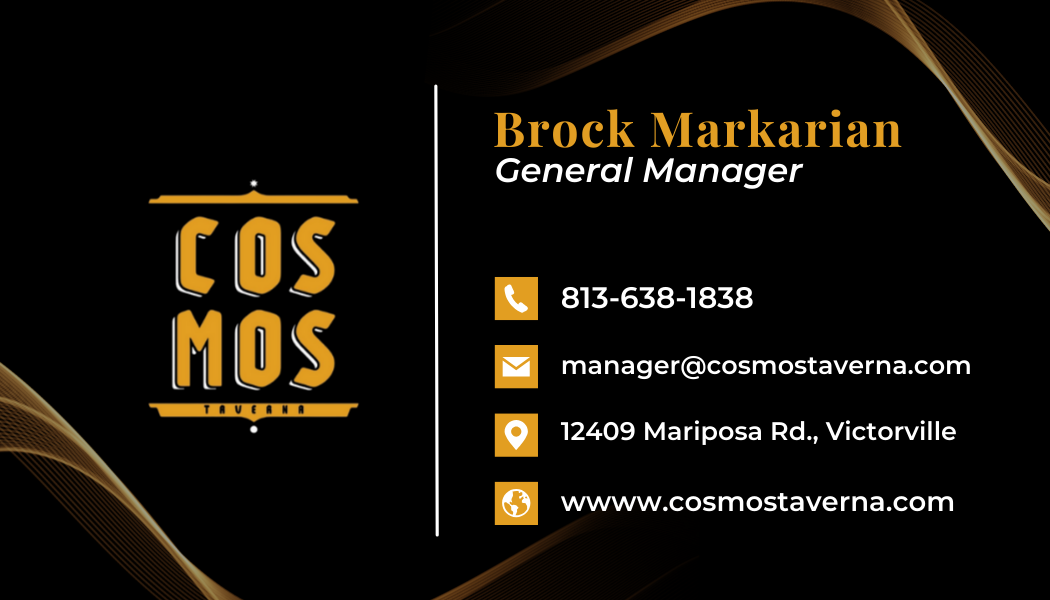
7 Business Card Design Mistakes That Make You Look Cheap
A bad business card does more damage than no card at all. These are the most common mistakes we see, and every one of them is easily avoidable.
- 1Using a widely shared template, Popular templates from print sites are used by millions of people. If your card looks identical to the one someone received yesterday from a different business, it blends in instead of standing out. A custom design costs $50-75 and makes your card memorable.
- 2Printing on thin paper, 10pt card stock flexes and bends in a wallet. It signals that you cut corners. Always use 14pt minimum. The difference in cost between 10pt and 14pt is usually less than $10 per 500 cards.
- 3Too many fonts, Maximum two fonts: one for headings/your name, one for details. Three or more fonts creates visual chaos. If everything is emphasized, nothing is.
- 4No white space, Cramming every line with info makes your card hard to read. Leave margins. Let your design breathe. If you can't fit everything on one side, use the back.
- 5Low-resolution logo, If your logo looks blurry or pixelated on the card, it will look blurry when printed. Logos should be vector format (AI, SVG, or EPS) for print. If you only have a small PNG, it needs to be recreated as a vector.
- 6Ignoring the back of the card, A blank white back is wasted real estate. Use it for your tagline, a QR code, a service list, or a simple pattern in your brand colors. Even a solid color back is better than blank white.
- 7Wrong file specs sent to the printer, Designing in RGB instead of CMYK, forgetting bleed marks, or using fonts that aren't embedded will result in color shifts, white edges, or text rendering issues. Every file we deliver is production-ready with correct specs.
Premium Finishes That Make Cards Stand Out
A premium finish can transform a simple design into something people comment on and keep. Here's what each finish actually does, what it costs, and whether it's worth the upgrade for your business.
| Finish | What It Does | Added Cost (per 500) | Best For | Worth It? |
|---|---|---|---|---|
| Matte Lamination | Smooth, non-reflective coating, reduces fingerprints | +$5-10 | Professional services, minimal designs | Yes, affordable upgrade with big impact |
| Gloss Lamination | Shiny, vibrant coating, makes colors pop | +$5-10 | Bold, colorful designs, photography | Yes, especially for image-heavy cards |
| Soft-Touch Lamination | Velvety, suede-like texture, premium feel | +$15-25 | Luxury brands, high-end services | Yes, most noticeable tactile upgrade |
| Spot UV | Glossy coating on specific areas (logo, text) over matte | +$25-50 | Logos, patterns, text highlights | Sometimes, best for simple, bold elements |
| Foil Stamping | Metallic foil pressed into card (gold, silver, copper) | +$40-80 | Luxury brands, premium positioning | If brand demands it, high visual impact |
| Embossing / Debossing | Raised or pressed-in texture on text or logo | +$30-60 | Sophisticated, tactile designs | Sometimes, subtle but elegant |
| Edge Painting | Colored edges (gold, black, brand color) | +$20-40 | Thick card stocks (32pt+) | On thick cards only, impressive detail |
| Rounded Corners | Soft, rounded corner cuts | +$5-10 | Modern, friendly brands | Yes, cheap and noticeable |
The best value upgrade is 16pt stock with matte or soft-touch lamination and rounded corners. Total added cost is about $20-30 per 500 cards, and the difference in perceived quality is significant. Foil and embossing are impressive but only worth the cost if your brand truly calls for it.
Business Card Design Pricing, Honest Cost Breakdown
Here's what business card design actually costs in 2026 across different options, with honest pros and cons for each. Design and printing are separate costs, we handle the design and deliver print-ready files.
| Option | Design Cost | What You Get | Pros | Cons |
|---|---|---|---|---|
| Canva / AI Tools | Free - $15/mo | Template-based design, easy customization | Instant, free, easy to use | Shared templates, PNG export (may not be print-optimized) |
| Fiverr / Upwork | $10-80 | Custom design, wide range of designers | Affordable, lots of options | Quality varies, communication can be slow |
| Marketing 760 | $50-100 | Custom design, print-ready + digital files, 2 revisions | Professional quality, fast, local support | Not the cheapest option |
| Design agency | $150-400+ | Multiple concepts, brand guidelines, strategy | Comprehensive, polished | Expensive, slower turnaround, overkill for most small businesses |
Printing costs are separate from design. For 500 standard business cards on 14pt stock, expect to pay $25-50 from online printers like 48HourPrint, GotPrint, or MOO. Local print shops typically charge more ($50-80) but offer faster pickup and personal service. We can recommend specific printers based on your needs.
Digital Business Cards vs Printed, Do You Need Both?
Digital business cards (Apple Wallet, HiHello, Popl, NFC tap cards) are growing in popularity, but they haven't replaced printed cards. Here's an honest comparison of when each format makes sense.
| Factor | Printed Cards | Digital Cards |
|---|---|---|
| First impression | Tangible, memorable, shows investment | Modern, tech-savvy, eco-friendly |
| Networking events | Universal, everyone accepts them | Requires phone, some people uncomfortable with it |
| Older demographics | Expected and preferred | Often confusing or off-putting |
| Younger demographics | Still effective, seen as professional | Preferred by many, seamless contact saving |
| Cost | $25-50 per 500 for printing | $0-10/month for app subscription |
| Updating info | Need to reprint if info changes | Update instantly from your phone |
| Follow-up | Person has to manually type your info | Contact saved directly to their phone |
The smart move in 2026 is to have both. Keep printed cards for formal networking, trade shows, and older demographics. Add a QR code on your printed card that links to your digital vCard, that way people can choose their preferred method. We include QR code design at no extra charge on every business card order.
Business Card Design FAQ
The US standard business card is 3.5" x 2" (89mm x 51mm). With bleed, your design file should be 3.75" x 2.25". Keep all text and important elements within the safe zone of 3.25" x 1.75" to avoid getting cut off during trimming. This size fits all standard wallets, card holders, and cases.
14pt coated card stock is the industry standard and works for most businesses. It's sturdy, affordable, and compatible with all finishes. For a premium feel, upgrade to 16pt with matte or soft-touch lamination. Avoid anything thinner than 14pt, 10pt stock feels flimsy and bends in wallets. If budget allows, 18pt with soft-touch lamination is the most impressive tactile option.
Professional business card design typically costs $50-100 for a custom double-sided layout. Our pricing starts at $50 for single-sided and $75 for double-sided, including print-ready files and 2 revision rounds. Design and printing are separate, printing 500 cards on 14pt stock costs an additional $25-50 from online printers.
Yes, if you have room. QR codes on business cards are increasingly common and practical. The best use is linking to a vCard (digital contact card) that saves your info directly to someone's phone. You can also link to your website, Google Business Profile, or a Linktree-style page. Place it on the back of the card so it doesn't compete with your front design. We include QR code generation at no extra cost.
Most printers require PDF files in CMYK color mode at 300 DPI resolution with 0.125" bleed on all sides. Some accept AI or PSD source files. Every card we design is delivered in proper print-ready format that you can send directly to any printer without modification.
For most small businesses, 500 cards is a good starting order. It's enough to last several months of regular networking, and the per-unit cost is significantly lower than ordering 250. If you attend trade shows or events frequently, order 1000, the price difference between 500 and 1000 is usually only $10-20. Avoid ordering 5000+ on your first run in case you want to update your design later.
Gloss finish is shiny and makes colors appear more vibrant, it's great for cards with photos or bold, colorful designs. Matte finish is smooth and non-reflective, it looks more sophisticated and is easier to read under lighting. Matte also hides fingerprints better. Both cost about the same. For most professional services, matte looks better. For creative and visual businesses, gloss can work well.
Yes, and we recommend it. Double-sided cards cost slightly more to design ($75 vs $50) but give you twice the real estate. A common layout: front has your name, title, logo, and contact info; back has your tagline, QR code, services list, or a branded pattern. A blank back is wasted space.
Yes. Despite the rise of digital networking tools, physical business cards remain the most universally accepted way to exchange contact information in professional settings. They work without apps, batteries, or Wi-Fi. They make a tangible impression. And they're especially important for local businesses, service professionals, real estate agents, and anyone who meets clients in person.
Bleed is the area of your design that extends beyond the final trim line, typically 0.125" (1/8 inch) on each side. When cards are printed, they're cut from a larger sheet, and the cutting blade has slight variations. Bleed ensures that your background color or image extends to the very edge of the card with no white border showing. Without bleed, you'll get thin white lines on one or more edges of your printed cards.
Ready to Get Your Business Cards Designed?
Send us your details and get a free quote. Custom designs delivered in 2-4 business days with print-ready files included.